
Takeaways from a Rainy Microsoft Ignite
Jeff Senger | VP of Technology

I had a fun week in San Francisco at Microsoft Ignite despite all the rain. The flood of announcements from Microsoft was great and I did my best to soak it all in. (I will stop with the bad puns now...)
Microsoft CEO Satya Nadella framed the week around three ideas: human ambition, intelligence, and trust.
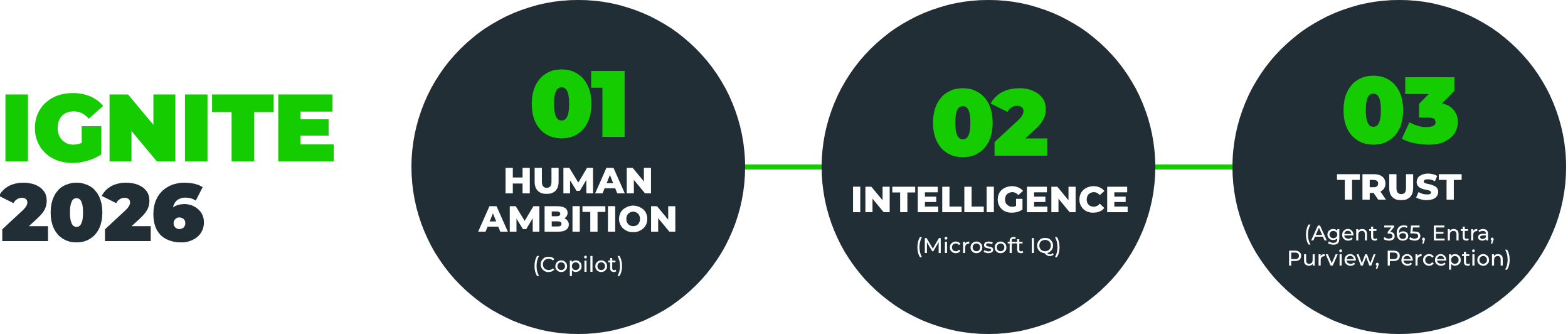
That is a fair map of what was announced. Copilot is the ambition. Agent 365, Entra, Purview, and Microsoft Perception are the trust. The intelligence of Microsoft IQ runs underneath all of it.
I liked the idea from the keynote that we need to separate the supply of intelligence from the authority over it. The AI models can come from anywhere. But the knowledge, context, and control should stay with you.
Copilot Is Becoming the Place Where Work Happens
Microsoft is calling Copilot the operating system for work. Chat and Cowork now are one. Copilot will automatically select the mode and model best suited for the task. The Office applications of Word, Excel, and Powerpoint can run full featured inside Copilot. Copilot is fully aware of any security labels or compliance policies. And Workspaces provide a shared space where people and agents can work together.
Autopilot is Microsoft’s answer to an always-on agent in your tenant with its own identity, memory, email, and computer. It is our personal assistant to get work done.
Microsoft IQ sits underneath to keep these agents grounded and continually improving.
That is a lot of AI innovation, yet all I could think about was the cost. You could smell the tokens burning during the demonstrations. Thankfully, Microsoft has put real effort into answering that question.
Agent 365: What Is AI Costing, and Is It Under Control?
The sessions that stuck out to me were not about what AI can do.
They were about what it costs and whether it is providing real value.
Microsoft calls this "FinOps for AI."
It cited a Gartner prediction that:
“…more than 40 percent of agentic AI projects will be canceled by the end of next year.”
This is because of rising costs and unclear value. The projects that survive will be the ones that can show their impact.
Business Analytics is a new app for the business leaders who control the AI budget. It shows spend, usage, and forecasts, and flags users who need more allowance or are not getting much value. Microsoft is working toward measuring the value of completed work to help answer the question on business impact.
New Cost Management policies set the limits and alerts on AI spend for users, teams, and individual agents. Model choice is a policy setting, so policies can keep the most expensive frontier models away from teams that do not need them.
These analytics can extend to other vendors' AI platforms, though the licensing differs. If it costs Microsoft money to pull usage from another vendor's tool, I expect that cost to be passed on to us.
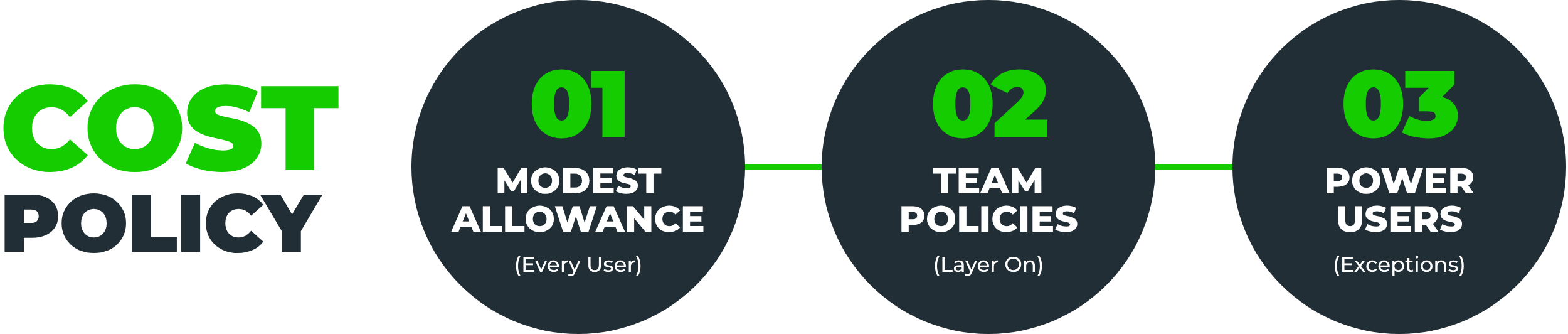
Microsoft laid out some policy design advice in one of the cost management labs:
Start with a modest monthly allowance for every user
Layer on team policies
Find the power users who need exceptions
These capabilities are arriving in stages, starting with Frontier customers.
Cost management is only part of Agent 365. The other part is knowing what agents you have. Agent 365 creates a registry, or inventory of agents and AI tools across your enterprise. It provides visibility into platforms like Salesforce, Amazon Bedrock, Google Vertex AI, Anthropic, and OpenAI. Microsoft Defender now can discover more than 60 local agents on managed devices.
Once you can see the agent estate in your environment, you can govern it. You can control which plugins, skills, and MCP servers the agents can use.
Entra: Every Agent Needs an Identity Worth Protecting
One statement from an Entra session summed up the problem.
Every security weakness we have with human identities is inherited by agents:
Weak governance
Too many permissions
Access that never expires
To solve that problem, Entra will now help with managing the identities of agents.
With Entra Agent ID every agent gets an identity you can scope, audit, and shut off, including agents on partner platforms and local devices. Agents need a human sponsor and regular activity, or they will get disabled. Agents start with minimum privileges and request just-in-time access per task. The Access Orchestrator approves an agent's permissions once, then manages them task by task.
Microsoft Perception: Security Agents That Do the Work
Attacks are more prevalent than ever.
Just last week the FBI issued a warning that hackers are leveraging penetration testing tools to compromise systems in record time.
We need a system that runs at machine-speed to thwart these attacks.
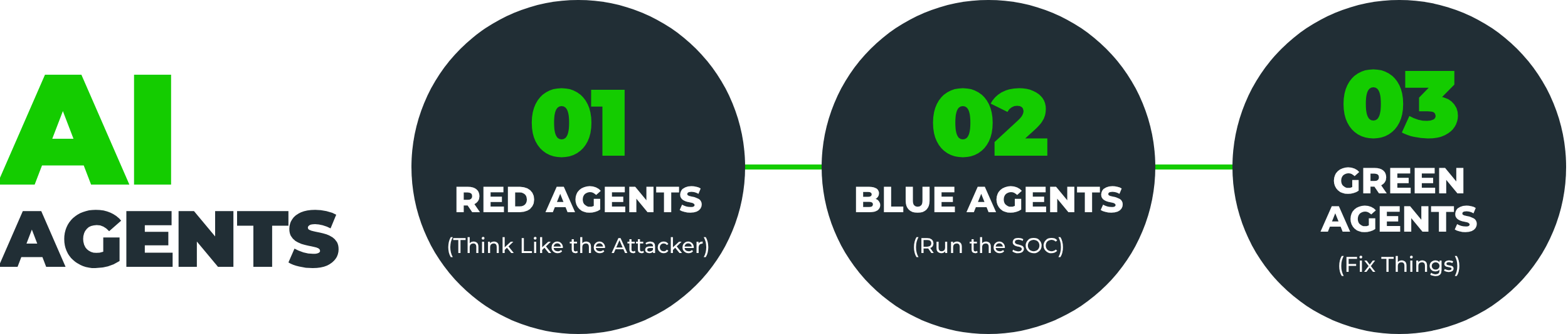
Microsoft Perception brings a team of AI agents to help respond and defend. These AI agents investigate, protect, and remediate while your security team sets priorities and approves critical actions.
Red agents think like the attacker. The Web App Pen Test Agent probes authorized web apps for authentication, API, injection, and business logic weaknesses, and returns proof.
Blue agents run the SOC. Microsoft says the Triage Agent could handle about 80 percent of alerts in a typical Defender queue. The Attack Investigation Agent rebuilds attack timelines, the Threat Intelligence Agent turns articles into findings, and the Detection Authoring Agent tests new detections against your history.
Green agents fix things. They coordinate patching through Intune, recommend interim protection when you cannot patch, and submit code fixes as pull requests.
This is just the first wave of what Perception will be able to accomplish. Perception is part of the ISOC (Integrated Security Operations Center) that has combined SIEM, Defender, XDR, and automation into a single place. The Perception agents operate on a pay as you go billing plan.
Azure: Modernize It, Then Try to Break It
Two Azure announcements that stood out to me were around Azure Catalyst and Azure Chaos Studio.
Azure Catalyst. The new name for Azure Migrate. It joins Azure Migrate and GitHub Copilot modernization into one agent-led experience from discovery to planning to execution, across infrastructure, apps, and databases. Azure Catalyst will help plan all the migration waves, applications and networking included.
Azure Chaos Studio. Pick an application, and it recommends failure scenarios like a compute zone going down, a DNS outage, a database failover, even a Microsoft Entra ID outage. The faults are controlled simulations and not real Azure outages, and each run produces a report you can share.
These are nice enhancements, and I look forward to using them to help our customers.
More to Come: Keeping Your Data Safe when Using AI
I spent a lot of my week in sessions on protecting Copilot and keeping sensitive data safe from AI tools, with Microsoft Purview at the center. You do not have to choose between empowering your users and protecting your data.
That deserves its own blog, so stay tuned.
Takeaways
Copilot is no longer just a chat window. People and agents now work side by side in it.
Cost and value finally have a home. If you cannot answer what AI is costing you today, start with Agent 365.
Agents need the same discipline as users and devices. Identity, least privilege, logging, and lifecycle all apply.
Security is being built for machine speed. Perception puts agents to work while keeping people in the approval seat.
Microsoft did not disappoint with all the innovations it showcased this week. It will take a while to fully absorb all of them.
Great links to learn more about the items in this blog: